Your comics.
Beautifully.
A private, powerful comic reader with built-in reading stats. One-time purchase. 9 formats. iCloud, Jellyfin, and Komga support.

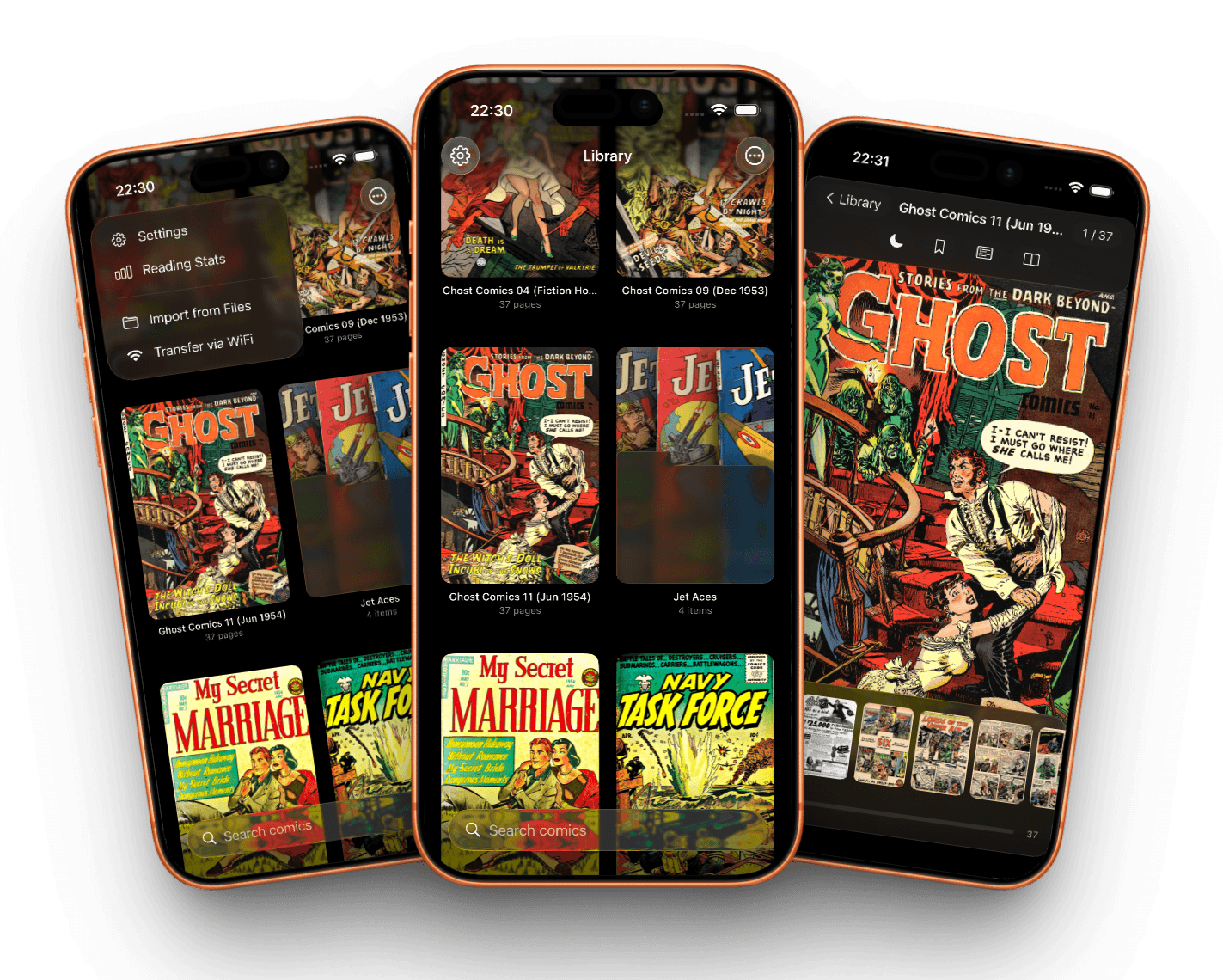
Desktop-class format support.
Read local files directly, pull from iCloud, or connect to the comic libraries you already host. No conversion required.
Bring every library with you
Use comics from iCloud, or connect Glassy Comics to your Jellyfin or Komga server and keep reading from the collection you already manage.

iCloud
Keep comics available across your Apple devices with iCloud support built into the iOS experience.

Jellyfin
Browse self-hosted comic libraries from your personal Jellyfin server alongside your local files.

Komga
Access organized series, manga, and comics from Komga without duplicating your whole collection.
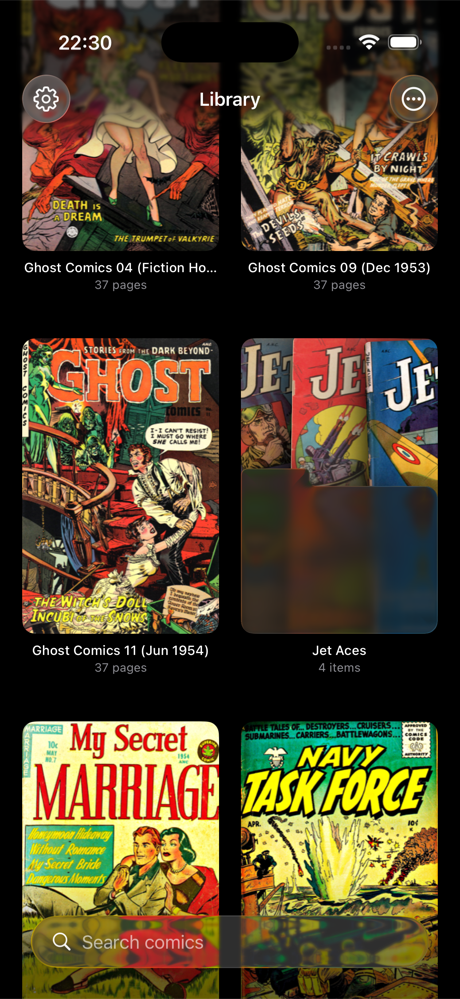
Your digital library, not just a viewer
Manage your collection the way you want. Browse in a visual grid or compact list, organize with folders by series and publisher, and bulk-select comics to move, mark as read, or clean up. A "Continue Reading" section gets you back into your latest comic in one tap.

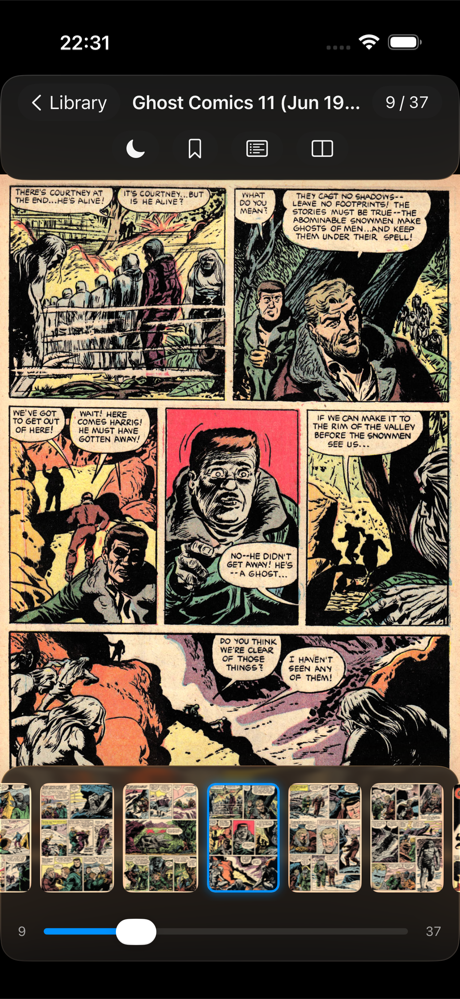
An immersive reading experience
Swipe through pages with fluid animations, or tap to advance. Scrub through a visual thumbnail strip to find the exact page you need. Bookmark important pages and jump back to them anytime.
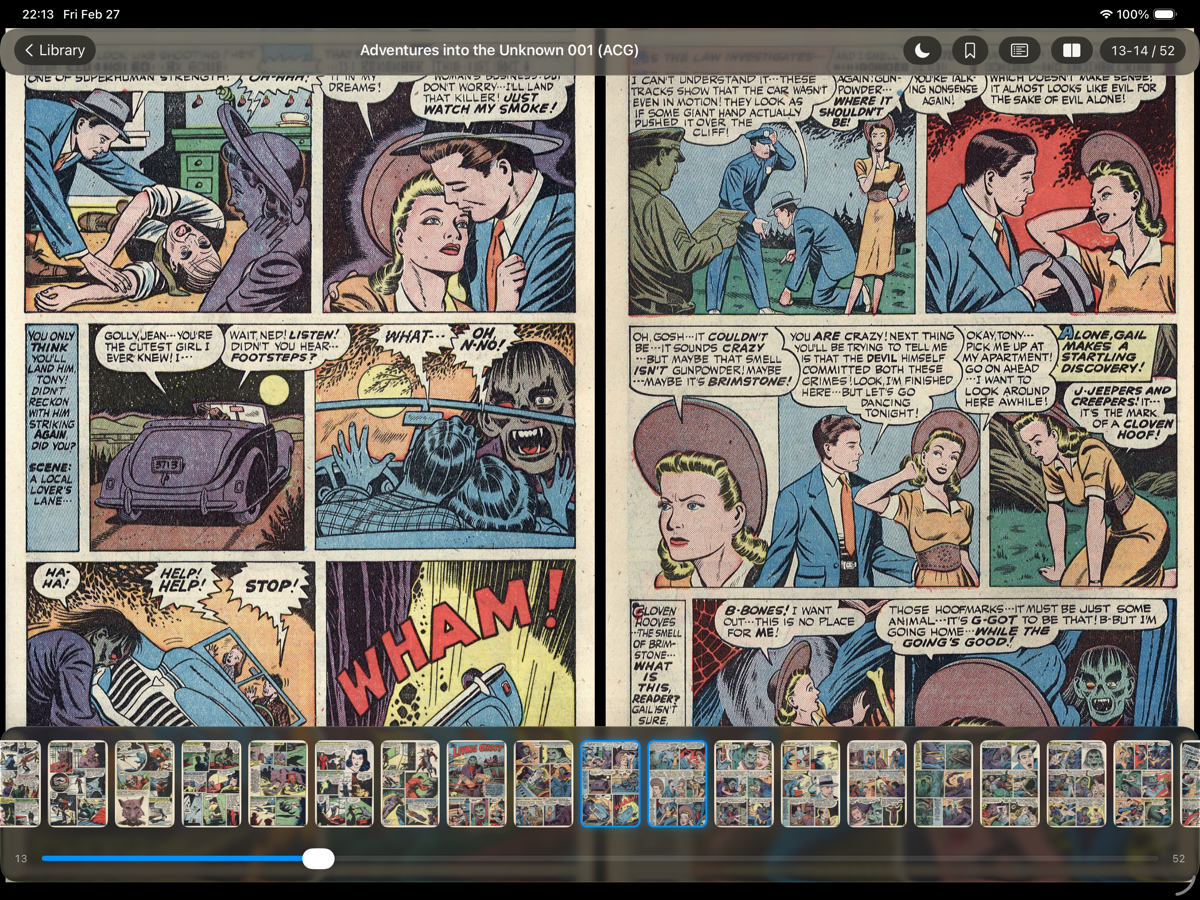
Double-page spreads
Toggle two-page spread mode to see double-page art the way it was drawn. Optimized layouts for every screen size. Landscape never looked this good.
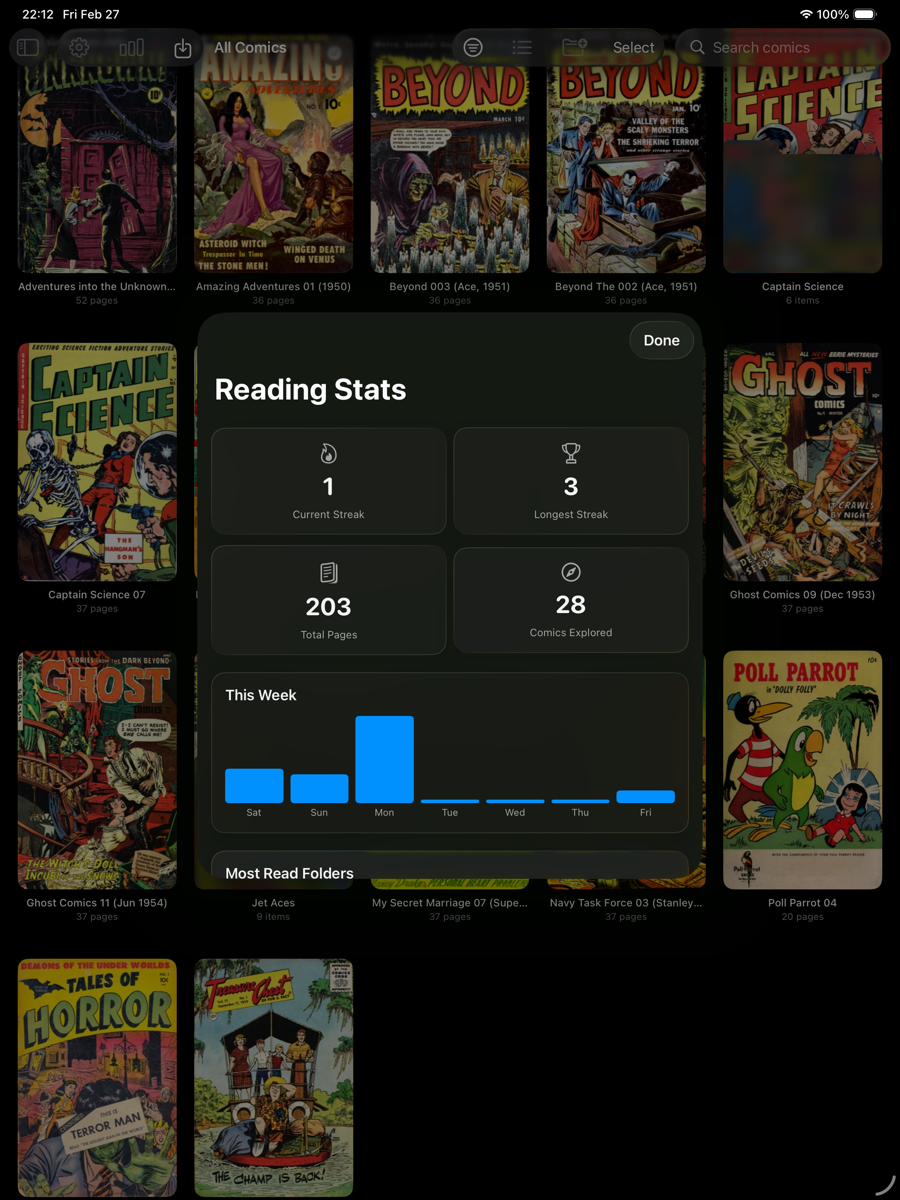
Your reading, measured on-device
A built-in stats dashboard lives entirely on your device. Reading streaks, total pages, comics explored, weekly activity, and most-read folders are all calculated locally with no manual entry. Your data never leaves your device.
Built for enthusiasts
Thoughtful features for readers who manage serious collections.
Reading Modes
Four modes on the fly: OLED Black for true dark reading, Dark Gray, warm Sepia, and Light. Customizable tap zones to match how you hold your device.
Smart Progress
Your position is tied to file content, not filenames. Rename or reorganize freely; your progress follows. Auto-mark as read at the last page.
Home Screen Widgets
Four widgets keep your reading front and center: Continue Reading, Reading Streak, Weekly Activity, and Library Shelf.
WiFi Transfer
Transfer comics over WiFi from any browser on your local network, import from Files or iCloud, or connect Jellyfin and Komga libraries.
Spotlight Search
Find any comic in your library right from the iOS home screen. Your entire collection, always a search away.
Bookmarks
Bookmark important pages with visual thumbnails and jump back to them anytime. Never lose your favorite panels again.
Private by design.
Your comics stay on your device, in iCloud if you choose, or on servers you connect. No required cloud, no data harvesting, no account hostage.
Try 2 comics free, then unlock forever
Read your first 2 comics at no cost. Like what you see? A single purchase unlocks everything.
Available on iPhone and iPad · Requires iOS 26 or iPadOS 26 · One-time purchase